Advance light and health research remotely
Measure personal light exposure as melanopic EDI (CIE S 026) in participants’ everyday lives, and collect the data remotely.
Applying for funding? See our grant support →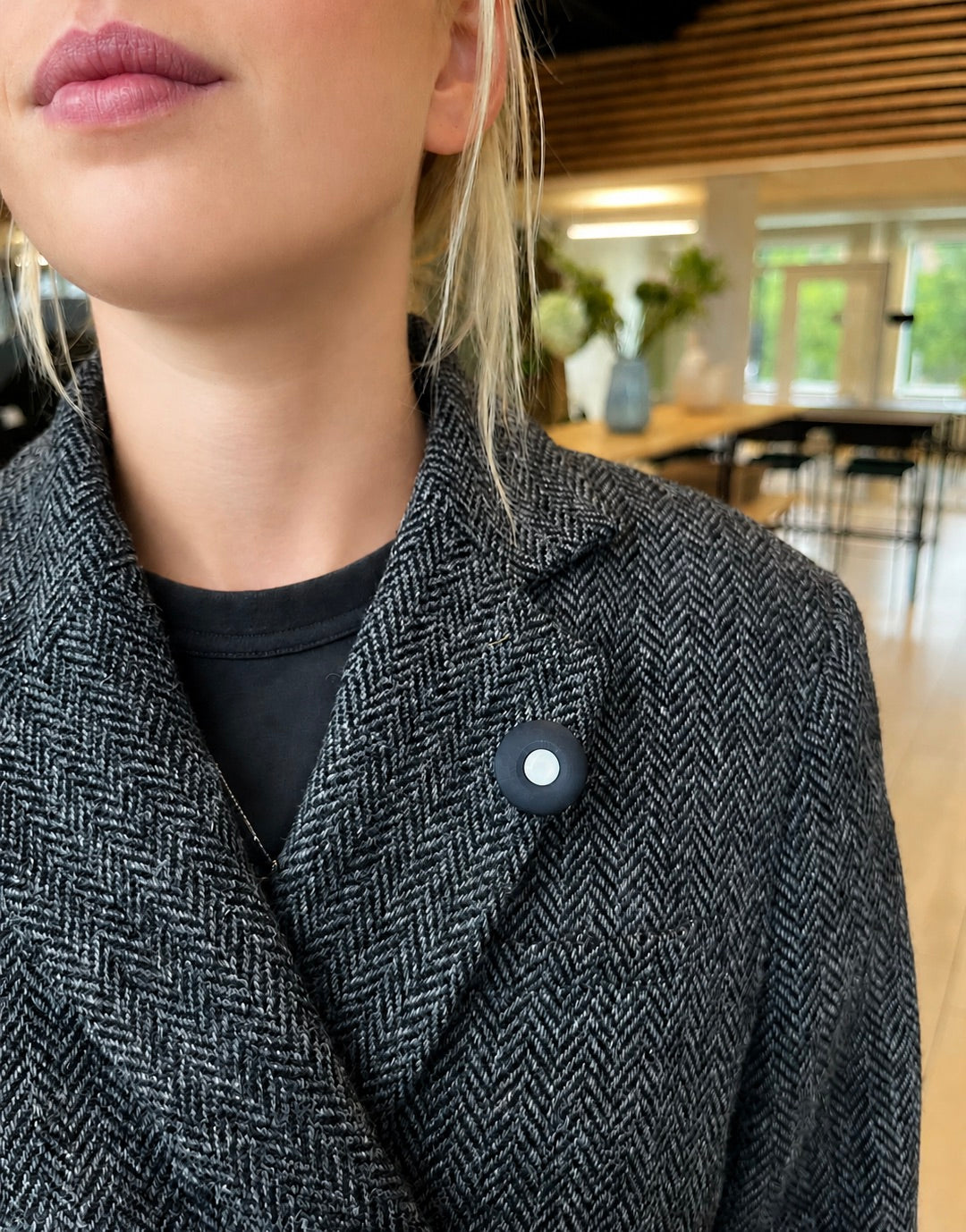
Backed by science. Used everywhere light matters








Used in published research since 2021, across universities, hospitals and care settings worldwide.
From study setup to dataset
One workflow, from setting up your study in the Data Portal to analysis-ready data.
Set up
Create your study in the Data Portal, choose V1, PRO or both, and invite participants by email, link or QR code.
Enrol
Participants accept the invitation, sign in to LYS Collect and pair their Button.
Collect remotely
Data uploads whenever participants sync, and you follow each participant's sync activity in the Portal.
Export
Download the raw data, a per-day summary table and a report built on LightLogR.

Choose the device that fits your needs
Two sensors, one platform. Buy single units here, or scale up with a research package. Every product has an instant PDF quote for procurement, so there is no waiting on email.

Light data with activity context
Everyday light data with movement context, in a compact, unobtrusive design.
- Light data
- Red, green, blue and near-infrared (RGB + NIR).
- Movement sensing
- A 3-axis accelerometer adds activity context to light measurements.
- Compact and unobtrusive
- A compact, unobtrusive design for everyday wear.
Specs, best for and apps
- Battery life
- 5 days
- Sampling interval
- Every 15 seconds; custom intervals by arrangement
- On-device storage
- At least 24 hours at the default interval
- Syncing
- Once a day at the default interval
LYS Collect: research data collection, no feedback to participants (iOS and Android)
LYS Data Portal: manage participants, monitor collection and export data

Detailed light sensing with activity context
Adds more detailed spectral information and flicker detection, with the same movement context.
- Detailed spectral data
- Eight visible spectral channels (F1–F8), plus clear and NIR, across approx. 350–1000 nm.
- Flicker detection
- A dedicated flicker-detection channel.
- Movement sensing
- A 3-axis accelerometer adds activity context to light measurements.
Specs, best for and apps
- Battery life
- 7 days
- Sampling interval
- Every 15 seconds; custom intervals by arrangement
- On-device storage
- At least 10 hours at the default interval
- Syncing
- At least every 10 hours at the default interval
LYS Data Portal: manage participants, monitor collection and export data
Compare V1 and PRO side by side: data, battery, sampling and storage
| Feature | Button V1 | Button PRO |
|---|---|---|
| Light dataDiffers | RGB + NIR | Eight visible spectral channels, clear, NIR and flicker detection |
| Movement sensing | 3-axis accelerometer | 3-axis accelerometer |
| Battery lifeDiffers | 5 days | 7 days |
| Sampling interval | Every 15 seconds; custom intervals by arrangement | Every 15 seconds; custom intervals by arrangement |
| On-device storage at the default 15-second intervalDiffers | At least 24 hours | At least 10 hours |
| Design | Compact and unobtrusive | Compact and unobtrusive |
For both devices, on-device storage duration depends on the sampling interval. Longer intervals between measurements allow a longer recording period to fit in storage. Storage capacity and battery life are separate: longer storage duration does not extend the time between charges.
TECHNICAL SPECIFICATIONSButton V1
Data and recording specifications
| Feature | Specification |
|---|---|
| Light data outputs | Red, green, blue and NIR |
| Movement sensing | 3-axis accelerometer |
| Sampling interval | Every 15 seconds; custom intervals by arrangement |
| On-device storage | At least 24 hours at the default 15-second interval |
| Battery life | 5 days |
Approximate RGB peak-response wavelengths
| Channel | Approximate peak-response wavelength |
|---|---|
| Blue | ~470 nm |
| Green | ~540 nm |
| Red | ~620 nm |
These values are estimates read from the manufacturer's typical sensor-response graph. They are not guaranteed specifications or calibrated measurements of the complete V1 device. Each channel responds across a range of wavelengths; the peak shows where its response is strongest.
V1 spectral response graph
TECHNICAL SPECIFICATIONSButton PRO
Light and movement sensing
| Feature | Specification |
|---|---|
| Light channels | Eight visible spectral channels, clear, NIR and dedicated flicker detection |
| Channel count | 11 |
| Light sensor spectral response range | Approximately 350–1000 nm |
| Movement sensing | 3-axis accelerometer |
Spectral-channel specifications Typical sensor-level values
| Channel | Typical centre wavelength (nm) | Typical bandwidth, FWHM (nm) |
|---|---|---|
| F1 | 415 | 26 |
| F2 | 445 | 30 |
| F3 | 480 | 36 |
| F4 | 515 | 39 |
| F5 | 555 | 39 |
| F6 | 590 | 40 |
| F7 | 630 | 50 |
| F8 | 680 | 52 |
| NIR | 910 | Not specified |
| Clear | Broadband, unfiltered response | Not applicable |
| Flicker detection | Broadband, unfiltered response | Not applicable |
FWHM (full width at half maximum) is the width of a channel's response at half its peak sensitivity. These bandwidths are not strict detection cut-offs: each channel still responds, more weakly, outside this width.
PRO spectral response graph
Frequent readings or long recordings: order the setting you need
Choose how often your device records a measurement. Shorter intervals provide more frequent readings; longer intervals extend the recording period that fits on the device.
Order a shorter interval, e.g. for sleep, circadian or short exposure events. Sync more often.
Order a longer interval, e.g. for care homes, field studies or remote sites. Sync less often.
How to order custom sampling
Buttons ship on the standard 15-second interval. Any other interval is a custom setting that you order together with your Buttons: tell us the device, your preferred interval or recording length, study duration, number of devices and how often participants can sync. LYS configures the Buttons before dispatch and confirms the settings in writing, so they arrive ready to record. Custom sampling costs £500 per order (excl. VAT) for orders under 25 Buttons and is included from 25 Buttons (Cohort Study and Research Deployment). To change the setting later, contact us. It can't be changed in the app.
| Configuration | Measurement interval | Approx. on-device storage |
|---|---|---|
| Standard | Every 15 seconds | 24 hours |
| Custom | Every 1 minute 45 seconds | 7 days |
| Custom | Every 7 minutes 30 seconds | 1 month |
| Custom | Every 22 minutes 30 seconds | 3 months |
Battery reminder: V1's battery lasts 5 days. Recording periods longer than that need recharging, because storage and battery life are separate.
| Configuration | Measurement interval | Approx. on-device storage |
|---|---|---|
| Standard | Every 15 seconds | 10 hours |
| Custom | Every ~36 seconds | 24 hours |
| Custom | Every ~4 minutes | 7 days |
| Custom | Every ~18 minutes | 1 month |
| Custom | Every ~54 minutes | 3 months |
Battery reminder: PRO's battery lasts 7 days. Recording periods longer than that need recharging, because storage and battery life are separate.
Custom storage figures are approximate estimates based on 24 hours (V1) or 10 hours (PRO) of storage at the standard 15-second interval. One month = 30 days.
Two short videos cover unboxing and wearing
Unboxing your Button
What's in the box and how the charging dock fits together.
Wearing your Button
Collar or upper chest, near eye level, with the sensor facing outward and uncovered.
LYS Collect and LYS Track
One app collects data for your study; the other shows you your own light.
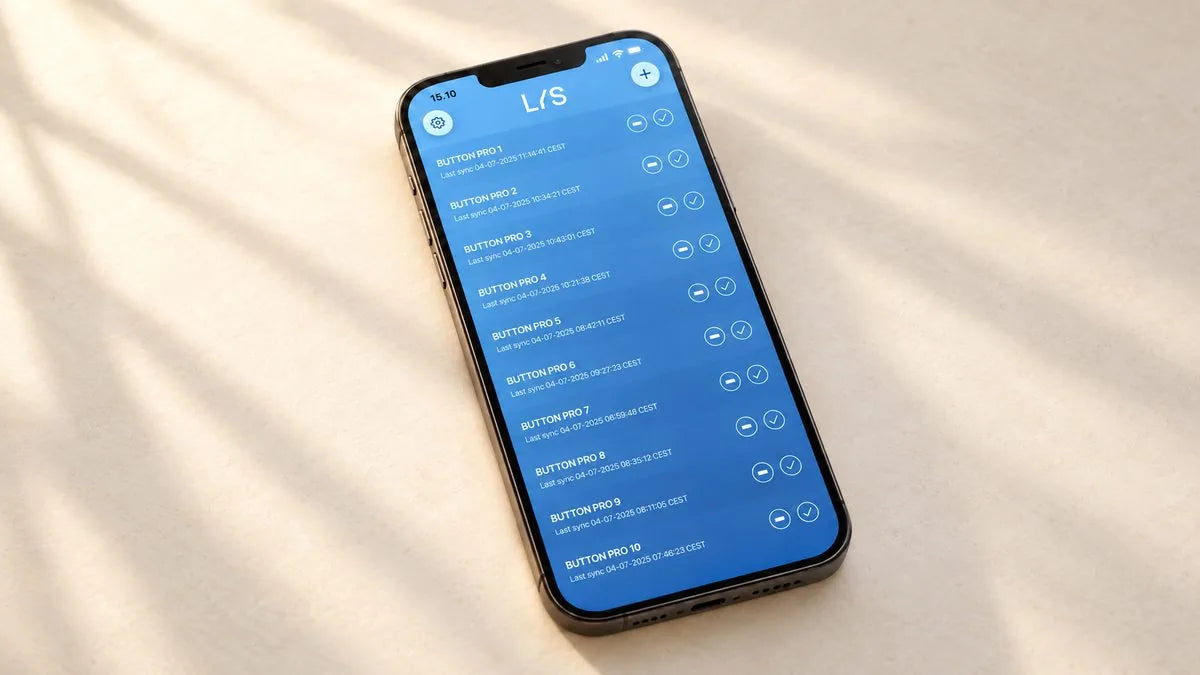
LYS Collect
Flexible data collection. Built for research.
LYS Collect works when participants use their own phones, and when one shared phone serves several participants, such as in care homes.
How it works in practice
Several Buttons can share one phone. Each only needs to be within Bluetooth range to sync.
Participants get no insights, feedback or nudges from the app, so the study doesn't change what it measures.
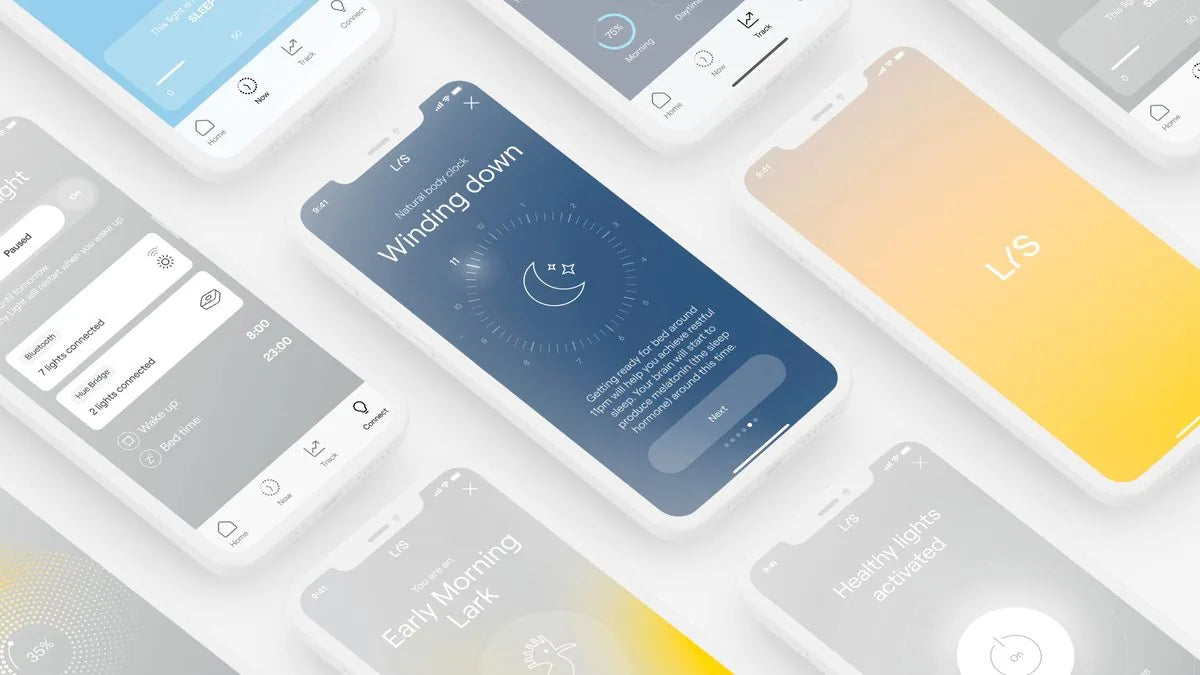
LYS Track
Discover the light in your everyday life.
Install LYS Track on your own iPhone and pair it with your Button V1.
How it works in practice
Your Button syncs to your phone, and LYS Track turns your light exposure into insights and feedback, so you can see how light shapes your day.
Think of it as a fitness tracker for light: explore your data and what it means for you.
Your studies, in one place
Manage participants, follow data collection remotely and export analysis-ready data: raw CSV plus a per-day summary table and a visual report with every export.
Invite your team as Admins or Researchers.
Enrolment, recent data and what needs follow-up, at a glance.
One list for participants and invitations, with CSV download.
Choose participants, dates and columns, then export.
A per-day summary table and an interactive HTML report with every export, computed with LightLogR. No R or coding needed.
Everything in the portal
WorkspacesInvite your team as Admins or Researchers.
Your studies live in a workspace of your own. Rename it and invite colleagues by email as Admins or Researchers, so a whole team can work on the same studies. Admins manage membership under Team & access.
Study overviewEnrolment, recent data and what needs follow-up, at a glance.
Each study opens on an overview with enrolled participants, recent data, a follow-up queue for quiet devices and expired invitations, and a recent activity feed.
ParticipantsOne list for participants and invitations, with CSV download.
One list holds participants and pending invitations, with filtering, sorting, paging and CSV download. Each participant has a details panel with joined date, consent confirmation, an internal note shared with your workspace, and the date of their last data.
InvitationsInvite by email, secure link or QR code.
Every invitation carries a Participant ID and an expiry date, and can be resent. Besides email, you can hand a participant a secure link or a QR code to join.
ExportsChoose participants, dates and columns, then export.
The Data & exports library shows every export with its status. Pick participants, a date range and the exact columns, or recreate an earlier export with the same scope. A Data dictionary in Documentation describes every column.
Study settingsSet recruitment and targets, or pause and resume a study.
Edit the recruitment window, participant duration and target, pause or resume a study, and delete a study (Admins only).
ProfileManage your details, password and account.
Update your name, institution, role and department, change your password, and close your account yourself.
DocumentationGuides, an FAQ and a Data dictionary, built in.
Built into the portal, with guides, an FAQ and search.
Summary metrics & reportAnalysis-ready data with every export, built on LightLogR.
With summary metrics switched on, every export adds two summary CSVs (one row per participant per day, and one per participant overall) and a self-contained HTML report: daily melanopic dose, time above 250 and below 10 mEDI lux, timing and regularity, data coverage, and a declared sleep window from the participant's chronotype questionnaire. Every number is computed with LightLogR, the open-source R package for wearable light-logger data (Technical University of Munich), and the report names the function and reference beside each metric, so results are citable and reproducible. Participants appear by ID only, never by email.
COMING SOON The Devices page.
Choose a package based on your study stage
Start with two Buttons at half price, validate your protocol with ten, or equip a full cohort. Mix V1 and PRO freely: discounts apply to your total. Prices excl. VAT and shipping.
Introductory test devices. Try the workflow before you design your study.
- LYS apps & Data Portal included
- 15-minute onboarding call
- Quick-start & data-export guide
- Email support
Validate your protocol, wear instructions and data collection.
- Everything in Research Starter
- 30-minute onboarding session
- Study-configuration review before deployment
- Email support within 2 business days
Run your participant study, with setup support and a spare.
- Everything in Pilot Study
- Custom sampling & storage included (worth £500)
- 45-minute study-setup session
- Priority support within 1 business day
Large or multi-site studies, with a named contact and phased delivery.
- Everything in Cohort Study
- Custom sampling & storage included (worth £500)
- Named LYS project contact
- 45-minute data-export setup session
- Phased delivery to one or more sites
Custom sampling & storage: £500 add-on for Research Starter and Pilot Study, included (worth £500) in Cohort Study and Research Deployment.
Not sure which sensor you need? Compare Button V1 and Button PRO side by side (two of each, plus a 30-minute comparison walkthrough) with a or buy it directly, £2,000.
Writing LYS into a grant application?
Budget your sensors before the funding lands, so your cohort order is ready the day it's approved. Everything below is free.
Itemised per Button, excl. VAT, on LYS letterhead. Need it to stay valid through a funding round? Ask for a 12-month price hold.
A short, accurate paragraph describing the sensors and why they're needed. Fill in your numbers and drop it into your application.
A signed letter from LYS confirming pricing, availability and technical support for your study. Usually within 3 business days.
Lock in today's tier, then receive Buttons per study wave or site. Institutional invoices and purchase orders accepted.
Need pilot data for your application? Start with a Research Starter at 50% off: two Buttons, onboarding included. Limited to one purchase per customer.
See Research StarterPublished research using LYS sensors
Twelve peer-reviewed studies and protocols, from Harvard T.H. Chan to Penn State to Aarhus University Hospital, plus the validation work the sensors are built on.
Higher Levels of Morning and Daytime Light Exposure Associated with Positive Sleep Indices in Professional Team Sport Athletes
Found that greater morning and daytime light exposure was associated with more favourable sleep measures in professional team-sport athletes. LYS Button worn to measure ambient light exposure.
Read the study →Spatiotemporal Light Exposure Modeling for Environmental Circadian Misalignment and Solar Jetlag
Developed a spatiotemporal approach for studying environmental light exposure, circadian misalignment and solar jetlag, using LYS Button to collect individual light-exposure data.
Read the study →The Relationship of Light Exposure to Sleep Outcomes Among Office Workers, Part 1: Working in the Office vs. at Home Pre/Post COVID-19
Compared everyday light exposure and sleep outcomes when office workers worked in the office versus at home, recording personal exposure with a LYS Button.
Read the study →The Relationship of Light Exposure to Sleep Outcomes Among Office Workers, Part 2: Comparison of Days With and Without Social Constraints
Examined how everyday light exposure relates to sleep on days with and without work-related social constraints, recording exposure every 15 seconds with a wearable LYS light detector.
Read the study →Exploring the Effects of Spectral Light Exposure on University Students' Sleep Quality: A Cross-Sectional Study
University students monitored bedroom conditions, daytime spectral light exposure and sleep quality over one week using a LYS Button.
Read the study →Light Exposure in Young University Students: Effect on Ocular Surface Health
Assessed relationships between personal light exposure and ocular-surface health in 53 university students, who wore an RGB LYS light-sensor button on their collar for one week.
Read the study →Evaluating Occupant Light Exposure and Usage Patterns in an Inpatient Behavioral Health Unit
Investigated staff light-exposure patterns in an inpatient behavioural-health setting using wearable and stationary LYS sensors.
Read the study →Investigating the Effects of Indoor Lighting on Measures of Brain Health in Older Adults
A crossover randomised-trial protocol examining how indoor lighting may affect measures of cognitive and brain health in older adults, monitored with a LYS Button.
Read the study →Toward Quantification of Agitation in People With Dementia Using Multimodal Sensing
Explores multimodal sensing for the objective measurement of agitation in people living with dementia, including a wearable LYS Button for personal light exposure.
Read the study →Impact of Dynamic Light Exposure on Sleep-Wake Pattern and BPSD in People with Dementia Living at Home
Examined relationships between dynamic light exposure, sleep–wake patterns and behavioural/psychological symptoms of dementia in home settings, using a LYS Button for exposure monitoring.
Read the study →Testing a Single-Case Experimental Design to Study Dynamic Light Exposure in People with Dementia Living at Home
Tested a single-case experimental design for investigating dynamic light exposure among people with dementia living at home, with a LYS Button as the wearable light-exposure sensor.
Read the study →Using Wearable Sensors to Measure and Predict Personal Circadian Lighting Exposure in Nursing Home Residents: Model Development and Validation
Develops and validates a model for predicting personal circadian light exposure from wearable sensor data in nursing home residents, with sensors worn near the shoulder or collar. Part of a broader Penn State nursing-home lighting research programme (4 outputs, 2024–2025).
Read the study →Method & sensor validation references
Sorted by year, newest firstUsing LYS in your research?
Make your methods section easy: copy the standard description and reference below.
When your paper is out, tell us. We'll feature it here, share it with the LYS research community and send your lab a complimentary spare Button.
Tell us about your paper →Guided by the researchers who defined this field

Prof. Dr. Manuel Spitschan
A world-leading expert on how light shapes human physiology and behaviour: as a stimulus, an exposure and an intervention.
Faculty profile →
Prof. Till Roenneberg
Co-creator of the Munich ChronoType Questionnaire and the researcher who coined "social jetlag", foundational ideas behind light, timing and health.
Questions researchers ask
Short answers for study teams, before you plan your budget.
How does LYS measure light exposure in a study?
Each participant wears a LYS Button at the collar or upper chest, sensor facing outward, so it measures the light that actually reaches them as they move, not a fixed point in a room. It records light and movement every 15 seconds by default and stores the data until the next sync with the LYS Collect app. The data then appears in the LYS Data Portal, ready to export.
Does LYS report melanopic EDI?
Yes. Both Buttons report melanopic EDI per CIE S 026; Button PRO computes it from 11 optical channels.
Should I choose Button V1 or Button PRO?
Button V1 (£300) records light with movement context and suits large cohorts and building projects. Button PRO (£700) adds eight spectral channels, clear, near-infrared and flicker detection, for clinical and circadian research; both report melanopic EDI. You can mix both in one order.
Can participants see their own light data?
Not in LYS Collect: participants get no insights, feedback or nudges from the app, so the study doesn't change what it measures.
Can LYS help with a grant application?
Yes, free of charge: a grant-ready PDF quote, budget text you can paste into your application, a signed letter of support (usually within 3 business days) and phased delivery. Institutional invoices and purchase orders are accepted.
How do I cite LYS in a paper?
Use the ready-to-paste methods text and reference in the Cite LYS section on this page.
Planning a study? Equip it with LYS
Build an itemised quote in a minute, or book a short live walkthrough of the Data Portal with our team.